
beginners do not need complicated SEO dashboards
If you are just starting on YouTube, you probably do not need a comprehensive SEO suite with huge charts, filters, and 300 keyword suggestions fighting for your attention.
What most beginners actually need is speed, clarity, and a simple way to move from an idea to a publishable video plan.
A useful free YouTube keyword generator tool should help you find a few useful phrases quickly, spot what people may actually search for, and turn those phrases into your next video title, description, and tags without slowing you down.
That is why a simple YouTube Keyword Generator can be more useful for new creators than a bulky SEO dashboard.
Why? You get actionable results fast instead of spending your energy sorting through too many options.
In this post we’ll show you how to use free YouTube keywords generator to quickly find topic ideas, spot useful search phrases, and turn them into a title, description, and tags for your next video.
How to find solid YouTube video ideas with TunePocket’s free keyword generator
Step 1: Enter a broad topic
Start with a simple topic, not a fully polished title.
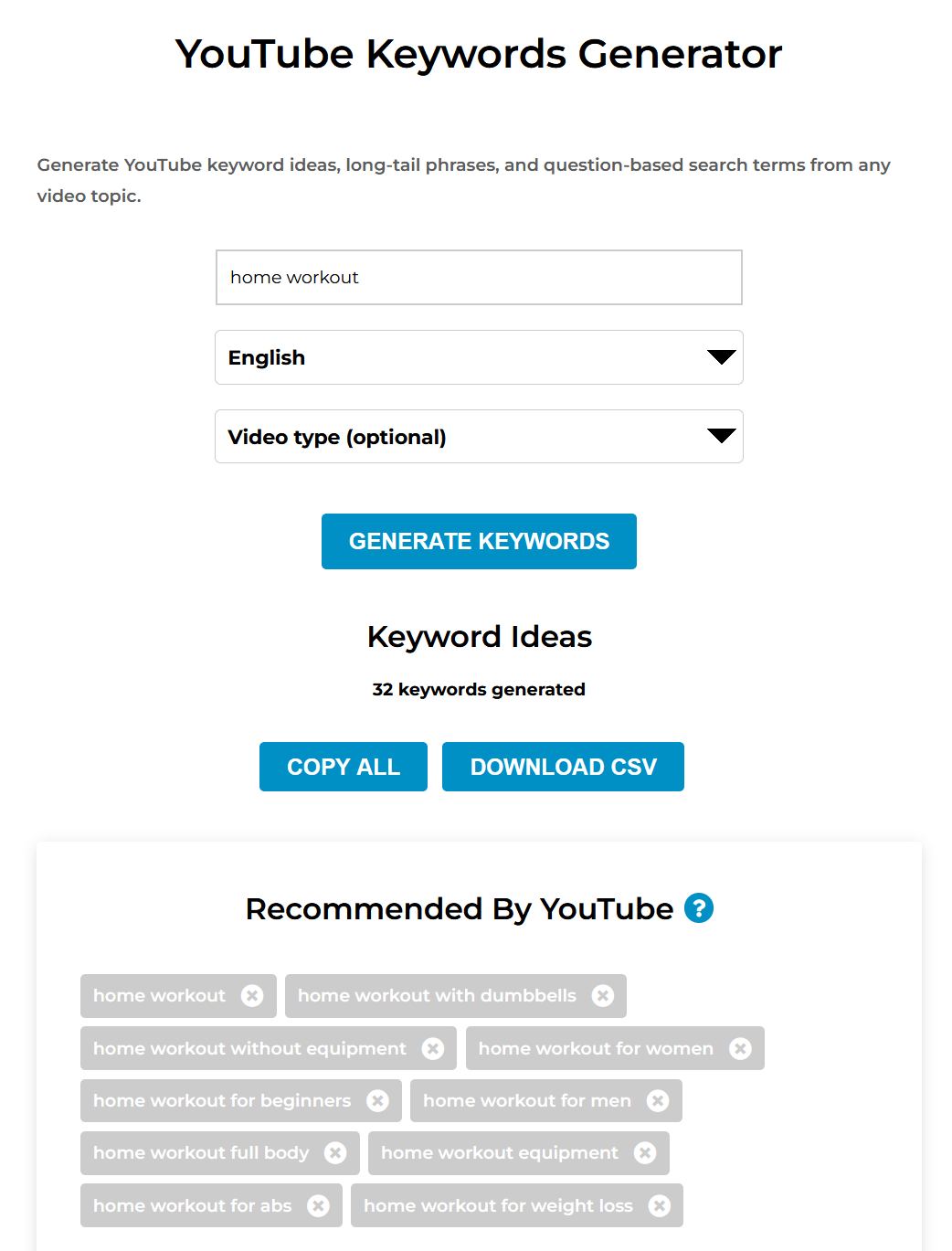
For example, instead of typing a long sentence, begin with something broad like home workout, travel vlogging, cat training, or podcast setup.
This gives the keywords generator enough room to surface useful keyword directions without boxing you into one narrow idea too early.
Step 2: Review YouTube search suggestions
Next, look at the YouTube search suggestions related to your topic.
You can think of these as a shortcut to real search queries people already type into YouTube. Instead of guessing what wording viewers might use, you get quick idea prompts based on existing search behavior.
This is especially useful for beginners because it helps narrow the topic using familiar, searchable phrases without needing a complicated SEO dashboard or a huge list of keyword ideas.
Step 3: Look at long-tail phrases
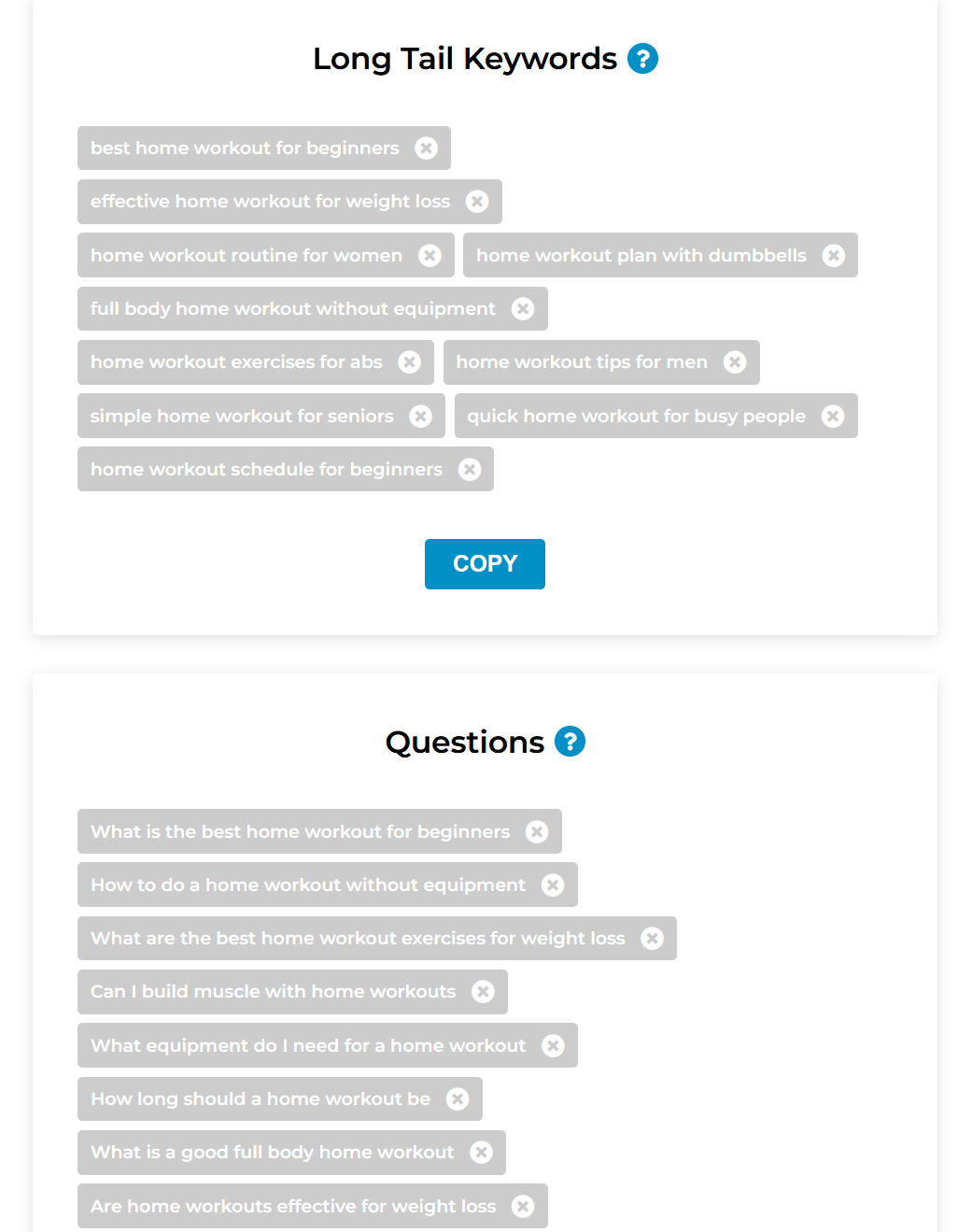
After that, scan the longer keyword phrases.
Long-tail keywords are useful because they often sound closer to real searches people type into YouTube. They can also help you choose a more specific angle.
For example, instead of stopping at “youtube shorts”, you may find something more actionable like “youtube shorts ideas for beginners” or “how to make youtube shorts faster”.
That is where a simple tool becomes practical. You are not trying to build an enterprise SEO strategy. You are just trying to find the next clear topic worth making.
Step 4: Use question keywords for tutorial angles
Question-style keywords are especially helpful for beginner creators because they naturally lead to tutorial, explainer, and problem-solving content.
Phrases like “how to”, “why does”, or “what is” often reveal video ideas that are easier to structure and easier for viewers to understand.
If your keyword tool shows questions around your topic, those can become strong tutorial angles right away.
Step 5: Turn one phrase into a title, description, and tags
Once you find one phrase you like, use it as the base for the rest of your video packaging.
You can turn that phrase into a working title with the YouTube Video Title Generator.
You can build supporting tags with the YouTube Video Tags Generator.
That gives you a simple beginner workflow, from keyword idea to title to description, and video tags.
Instead of juggling a complicated dashboard, you move from idea to a useful draft much faster.

Wrap-up
A free YouTube keyword generator tool does not need to be complicated to be useful.
For beginners, the real value is speed and simplicity. A few relevant keyword ideas, a couple of strong long-tail phrases, and some question-based angles are often all you need to plan the next video.
If you want a faster and easier starting point, try the YouTube Keyword Generator.
It is a practical way to go from broad topic to next video idea without getting lost in a giant SEO dashboard.
